
Hello, hello!
Quick question before we start: how many job adverts are sitting in your browser tabs right now? Five? Fifteen? No judgement here, I promise!
We all know the job market is really tough at the moment, and I know that first-hand: I'm on the search for a full-time job myself right now. When you're applying for hundreds of roles, it's SO hard to keep on top of it all:
✔ CVs to tweak
✔ Cover letters to write
✔ Emails to chase
✔ Dates to remember
And it all ends up scattered across a spreadsheet, a notes app and the back of an envelope.
So I created a system to take SOME of the stress off each and every one of you. Today I'm giving it to you for free, along with ten AI prompts that take care of the trickiest parts.
Why bother tracking your applications?
Job hunting is a numbers game, and it's a feelings game too. When everything lives in your head, every silent inbox feels personal. When it's all written down in one place, you can see the bigger picture: what you've sent, who's gone quiet, and what's actually working.
A good tracker means:
✔ You never forget which CV or cover letter a company saw
✔ You know exactly when to follow up (and you actually do it)
✔ You can spot patterns, like which job boards bring you interviews
✔ You walk into every interview knowing what you said in your application
What's inside the tracker
It's a Notion page with everything set up and ready to go. You just duplicate it and start adding jobs.
Your applications table. One row per job, with space for the company, the salary, where you found it, the date you applied and (the one I couldn't live without) a "Next Follow-up" date so nothing slips. You can attach the exact CV and cover letter you sent, add the hiring manager's details, and note your first impressions (because sometimes your gut knows before your head does).
A status for every stage. To Apply, Applied, Initial Call Booked, Interview Booked, Offer Received, plus the ones nobody likes but everybody gets: Rejected, No Response and On Hold. Switch it to a board view and you can drag each job along as it moves forward. Honestly, moving a card into "Interview Booked" never gets old!
Ten AI prompts. Tucked into neat little drop-downs on the same page, so they're there exactly when you need them.
A simple weekly routine. Four steps to keep your job hunt moving without it taking over your whole life.
Here's a look at mine, filled with made-up example jobs (none of these companies are real!) so you can see how it all works. Just delete them when you add your own.
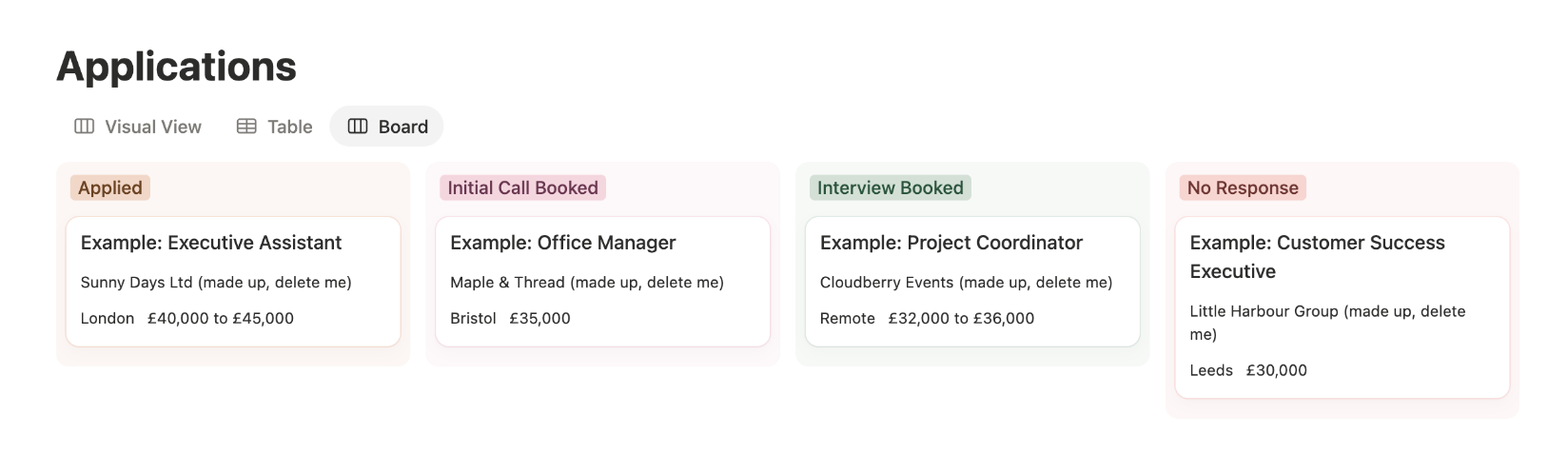
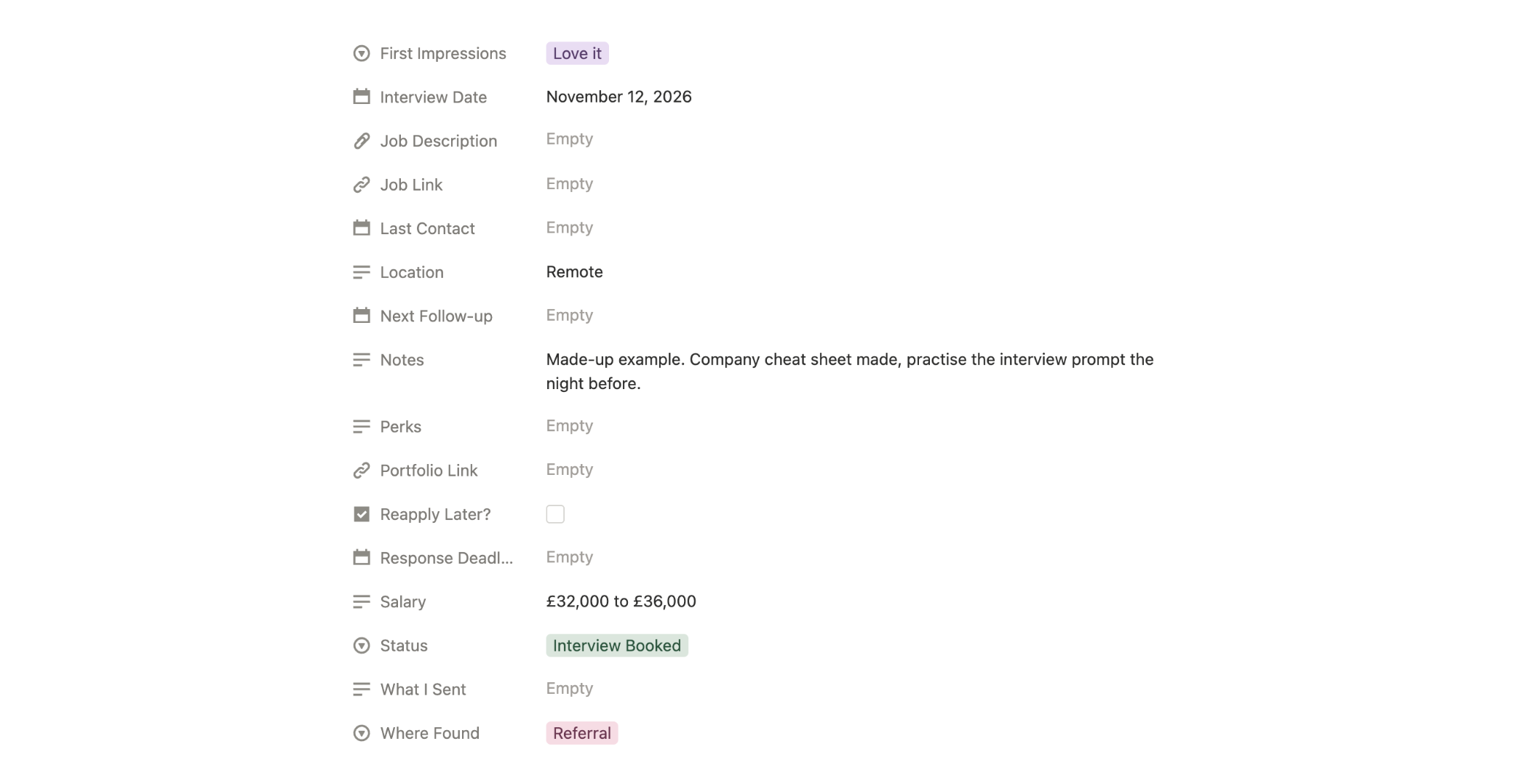
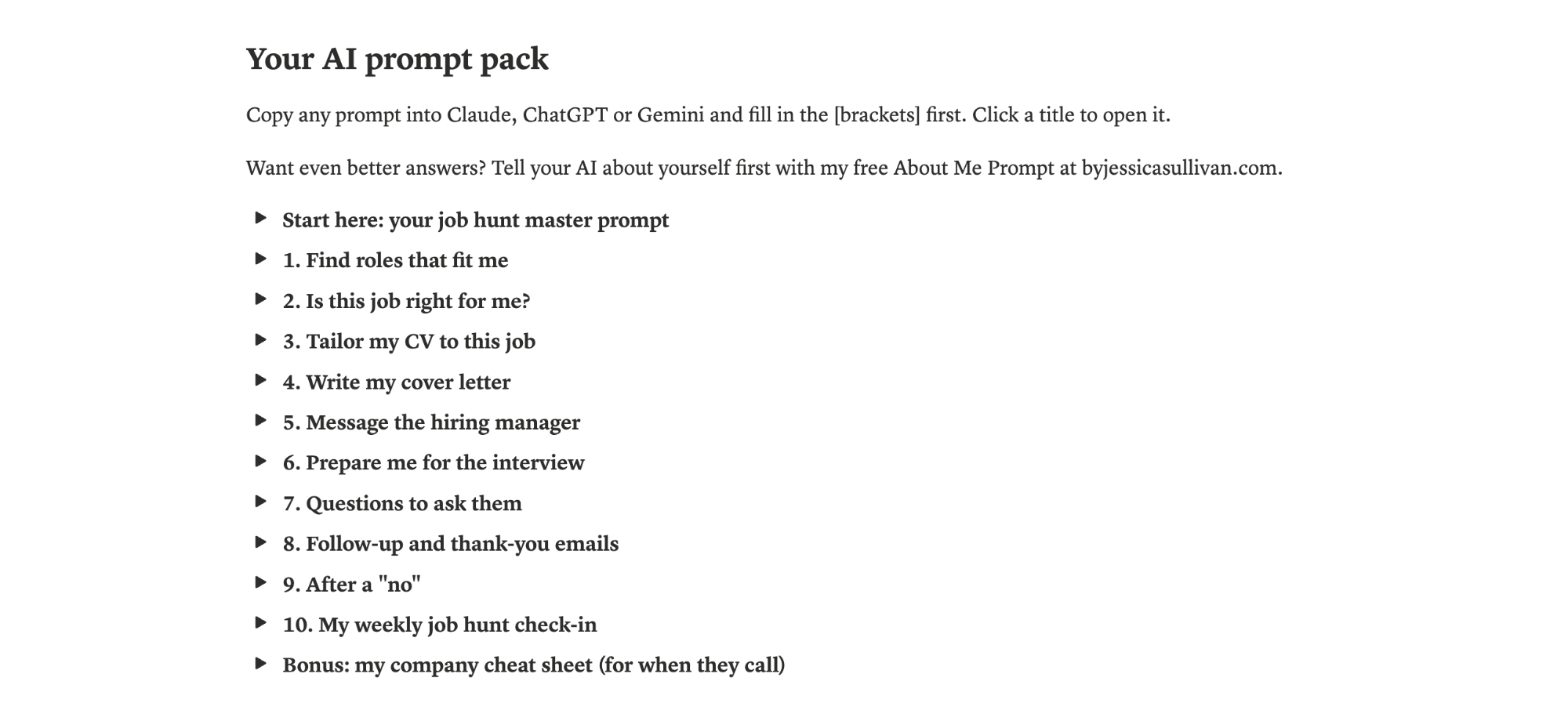
And it's completely yours to tailor. Rename the columns, add your own stages, change the colours, or delete anything you don't need. Make it work the way your brain works.
The AI prompts (here's a sneak peek)
These work in Claude, ChatGPT or Gemini. You fill in the bits in [brackets] and paste it in. Here are three I use all the time:
Is this job right for me?
Here's a job advert: [paste the job description]
And here's my CV: [paste your CV]Score how well I match this role out of 10. Then list: what I clearly have, what I partly have (and how to show it), and anything I'm missing. Finish with a straight answer: should I apply, and why?
This one saves you hours. No more spending an evening on an application for a job that was never really you.
Tailor my CV to this job
Here's my CV: [paste your CV]
Here's the job I'm applying for: [paste the job description]Rewrite my CV for this role. Keep every fact true: don't add skills or experience I don't have. Move the most relevant experience higher, use the words from the advert where they honestly fit, and make each bullet point start with what I achieved. Then tell me what you changed and why.
See the "keep every fact true" bit? Please don't skip it. AI will happily make you sound like you've run a small country, and you do not want to be asked about that in an interview!
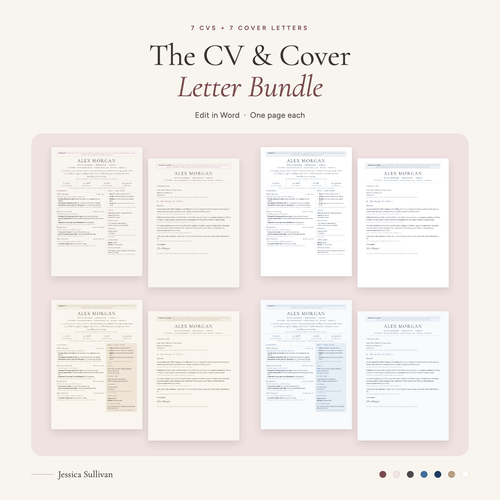
THE CV & COVER LETTER BUNDLE
Need a CV to start from?
I've made seven CV templates, each with a matching cover letter, ready to edit in Word. They come with a made-up example and a tip for every section, which makes filling them in quick.
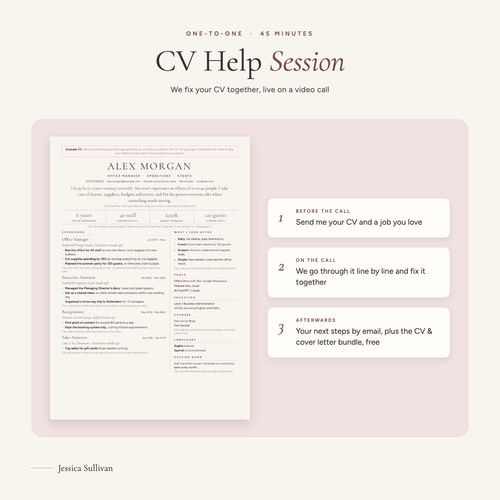
CV HELP SESSION
Want a hand with your CV?
Book a 45-minute one-to-one video call, and we'll fix your CV together, live, shaping it for the roles you're going after. The CV bundle comes free with it.
Prepare me for the interview
I have an interview for this role: [paste the job description]
Here's my CV: [paste your CV]Give me the 10 questions I'm most likely to be asked. For each one, write a strong answer using my real experience, in the STAR format (situation, task, action, result), short enough to say in about two minutes. Then ask me the questions one at a time and give me honest feedback on each answer I type.
The last line is the magic part. It turns your AI into a practice interviewer, so the real thing feels like the second go rather than the first.
For when they call: your company cheat sheet
I've applied for this job and they might call me at any moment: [paste the job description]
Here's the company's website: [paste the link, or paste the text from their About page]
Here's my CV: [paste your CV]
My salary expectation is: [your number or range]Make me a one-page cheat sheet to keep next to me in case they call. Include:
1. What the company does, in two sentences
2. Who their customers are, and anything recent they're proud of (only if you can check it; if you can't, say so)
3. Their values or mission, in their own words
4. What this role is really about: the three things they care about most
5. My three best matching examples, one line each
6. A 20-second answer to "Tell me about yourself" for this role
7. A 20-second answer to "Why do you want to work here?"
8. One confident sentence for when they ask about salary
9. Three good questions for me to ask themKeep it short and easy to read at a glance, with bullet points. Don't make anything up about the company or about me.
This one is for the call that always seems to come at the worst moment, like when you're halfway round the supermarket. Make one for every job you apply for and save it in that job's row in your tracker, so it's right there when your phone rings.
The other seven are in the free template: finding roles you might not have thought of, cover letters, messaging the hiring manager, questions to ask them, follow-up and thank-you emails, replying gracefully to a "no", and a weekly check-in.
Tired of pasting your CV in every single time? Make a "Job Hunt" project in Claude or ChatGPT. It's like a folder for your AI: add your master prompt (no master prompt yet? My free About Me Prompt will help you write one) and your CV, and every chat in that project already knows them. Then you can just paste in a job link or an application form and ask "What do you think of this one for me?", and it'll get straight to work. I've written a quick guide to setting up Claude and ChatGPT Projects if you'd like the steps.
Where to look for jobs (without paying a penny)
Before your tracker can do its thing, you need some jobs to put in it! These are the places I'd look, and every single one is free to search and apply on. I know not all of you are in the UK, so I've marked which ones work worldwide.
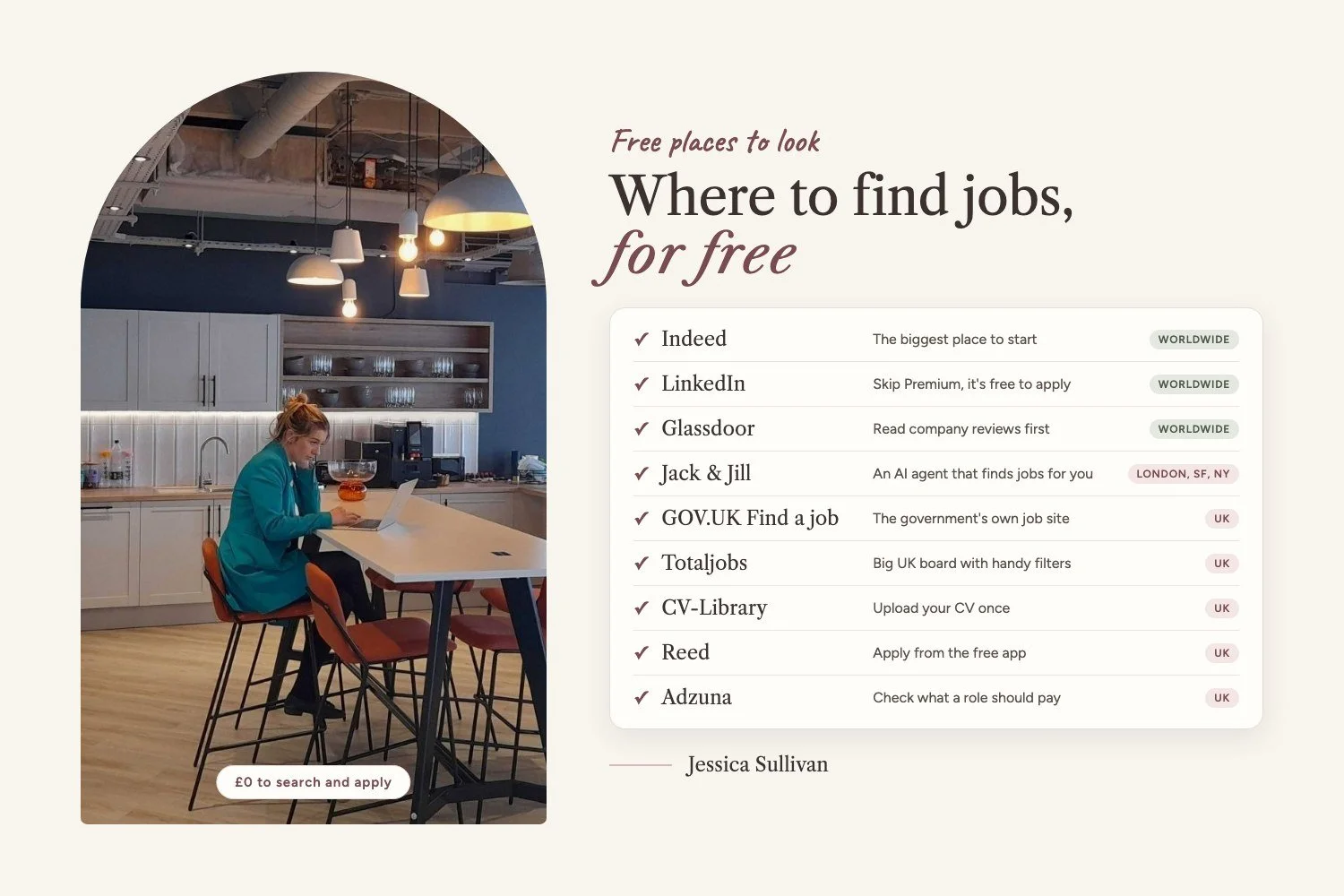
✔ Indeed (worldwide): the big one. Almost every kind of job ends up here, so it's a brilliant place to start.
✔ LinkedIn (worldwide): costs nothing to use. You'll see plenty of nudges to pay for Premium, but you really don't need it to find a job.
✔ Glassdoor (worldwide): perfect for having a nose at company reviews before you apply, so you know what you might be walking into.
✔ Jack & Jill (London, San Francisco and New York): a free AI agent that finds jobs that fit you and helps you land them.
✔ Find a job on GOV.UK (UK): the government's own free job site, for roles in England, Scotland and Wales.
✔ Totaljobs (UK): one of the big UK job boards, with handy filters and an app.
✔ CV-Library (UK): upload your CV once and apply for jobs for free.
✔ Reed (UK): their app is free, so you can save jobs and apply from your phone while the kettle boils.
✔ Adzuna (UK): handy for its salary estimates, so you can tell what a role should really be paying.
✔ Company careers pages (anywhere): got a dream employer? Head straight to the "Careers" or "Work for us" page on their website, because not every job makes it onto the big sites.
✔ Local Facebook groups (anywhere): search your town's name plus "jobs". Smaller local businesses sometimes post their roles there.
One thing I'll always be firm about: you should never have to pay to apply for a job. If anyone asks you for money to apply, to "secure" an interview or to speak to a recruiter, walk away. That's a scam, not a job.
How I'd use it, week by week
Monday: add any new jobs you've spotted as "To Apply".
Apply to the best ones first, tailoring your CV and cover letter every time.
Add a follow-up date a week after you apply.
Friday: paste your week into the check-in prompt and chase anything that's gone quiet.
That's it. Little and often beats one giant panicked Sunday-night session, every time.
My best tips from my own job hunt
These are the things that have genuinely made a difference for me, so I had to share them!
Apply, then message the hiring manager. Once your application is in, find the hiring manager (LinkedIn is great for this) and send a short, friendly message to say you've applied and why you'd love the role. I've had a few calls from doing exactly this. Even when a recruiter is handling the job, they're getting a flood of applications too, so a quick hello really helps you stand out.
Get in early. Some job sites show you when a job was posted, so keep an eye out and try to apply in the first few days, before the pile gets too big.
Don't be scared to chase. If you haven't heard back, send a polite email or message to ask where things are. Either they're still working through applications, or they've moved on, and knowing is so much better than wondering!
Been rejected? Ask for feedback. The worst that can happen is they ignore you or send a generic reply. The best? Real feedback that makes your next application even stronger.
There's a prompt in the template to help with the hiring manager message, the follow-up and replying to a "no", so you never have to stare at a blank screen.
Download this poster and keep it by your desk, so you've always got these to hand.
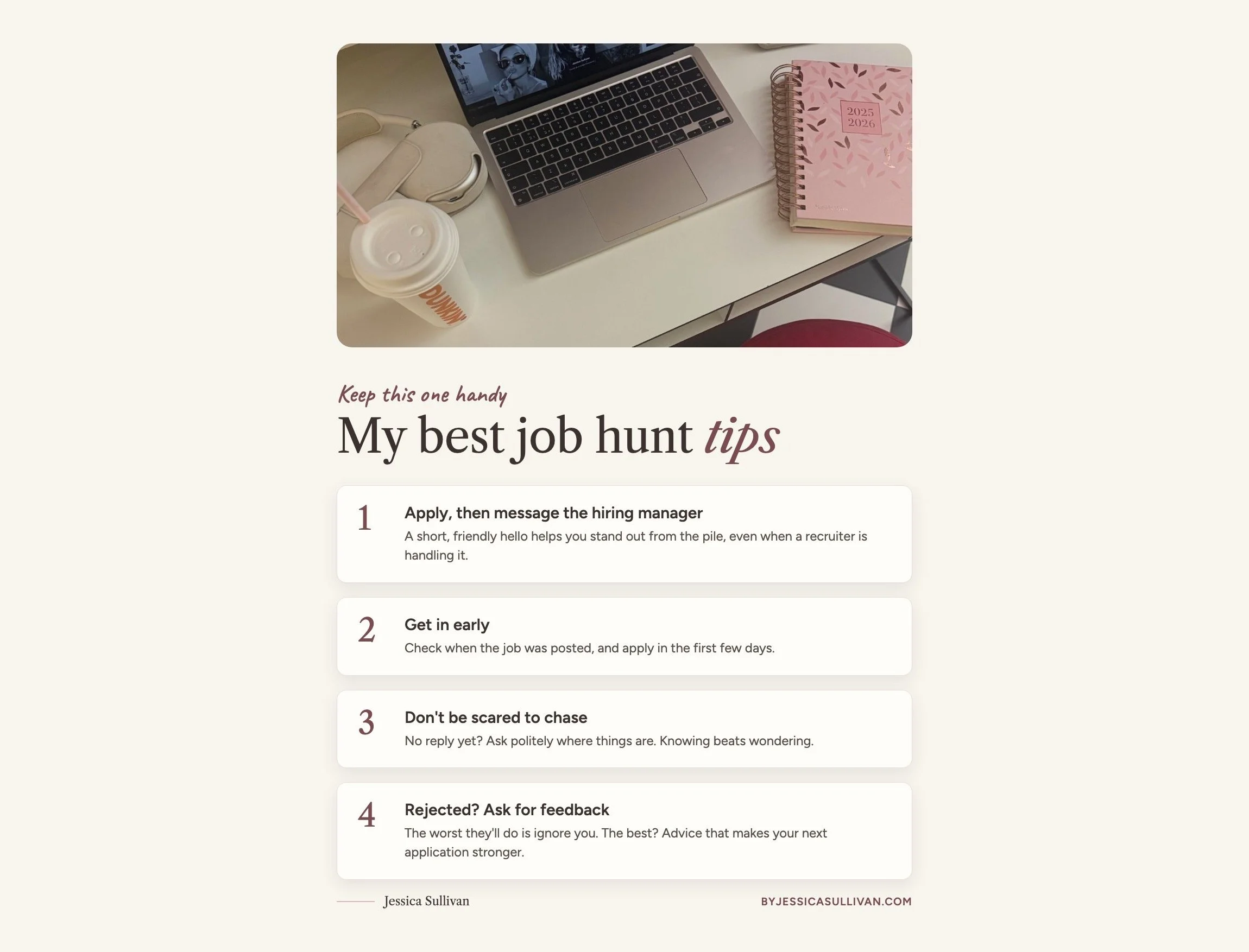
Download the job hunt tips poster
Let your AI update the tracker for you
Now for the clever bit! Instead of copying and pasting between Notion and your AI all day, you can connect the two, so your AI can read your tracker and fill it in for you. Picture typing "I've just applied for the Project Coordinator role, add it and set a follow-up for next Friday" and watching it happen. It feels a bit like having an assistant of your own.
If you use Claude
In a chat, open the Search and tools menu and click Add connectors.
Find Notion and click the plus button.
Sign in to Notion and allow access.
Ask Claude: "Can you see my Job Application Tracker in Notion?" If it says yes, you're all set!
If you use ChatGPT, or you want your emails connected too
This is where Composio comes in. It's a tool that links your AI to the apps you already use, with no coding at all, and the free plan is plenty for this. Once it's set up, your AI can update your tracker in Notion AND read your Gmail, so it can spot that interview invite and move the job to "Interview Booked" without you lifting a finger. Is that not the dream?!
Sign up to Composio on the free plan.
Connect it to ChatGPT or Claude (it walks you through it).
Connect Notion and Gmail, which takes a couple of clicks each.
Try it out: "Check this week's emails for anything about my job applications, and update my Job Application Tracker."
A quick word of caution: once your AI is connected, it can change things, so start small. Try it on one row first, ask it to tell you what it's about to change before it does it, and never let it send an email for you without reading it yourself first.
Bonus: let your AI go job hunting while you have a lie-in
Okay, this one is my absolute favourite, and I'm a little bit obsessed with it. What if, instead of spending your Monday morning scrolling job boards until your eyes go fuzzy, you woke up to a list of jobs that already match you, already in your tracker, waiting for you?
With Notion connected (the steps above), you can give it a Sunday routine. It searches the web for roles that fit your skills and what you're looking for, fills in everything it can find (the company, salary, location, the link to the advert) and adds each one to your tracker as "To Apply". Then on Monday you grab a coffee, have a look through, and apply for the ones you love. The rest? Mark them "Not for me" under First Impressions and move on!
How to set it up in Claude
In the Claude desktop app, open Cowork and click Scheduled in the sidebar.
Click New task, paste in the prompt below (with your own details) and set it to run every Sunday at 8:27pm.
Done! It runs on Claude's side, so your laptop doesn't even need to be switched on. Scheduled tasks are on Claude's paid plans.
Here's the prompt I'd use:
Every Sunday at 8:27pm, search the web for up to 30 job adverts posted in the last 7 days that suit me. About me: [your current or last role], [your top skills], looking for [type of role] in [location, or remote or hybrid], salary of at least [amount]. For each job, add a row to my Job Application Tracker in Notion with the job title, company, salary, location, work type, job link and closing date if it's shown, set the Status to To Apply, and add one line in Notes saying why it fits me. Only add real adverts you've found, with a working link, and skip any already in my tracker.
How to set it up in ChatGPT
Open a new chat, paste the prompt above (filled in with your details), and add: "Run this every Sunday evening and send me the list."
ChatGPT turns it into a scheduled task. You'll find it under Scheduled in the sidebar, where you can edit, pause or delete it.
Go to Settings, then Notifications, and choose push, email or both, so the list comes straight to you.
On ChatGPT's free plan you can have up to three of these, and they run in a time window (like "evening") rather than at 8:27pm on the dot. Exact times are on the paid plans. Start it in a normal chat rather than inside a project, as scheduled tasks can't see a project's files. And if ChatGPT can't reach your Notion, it'll still send you the list, so you can add the best ones to the tracker yourself.
An end-of-day email check
This is the one that makes me feel like I have a real assistant. Connect your Gmail as well (same steps as Notion, just pick Gmail), then give it a second routine for the end of each day. It reads through anything that's come in about the jobs you've applied for and updates your tracker for you. Interview invite? It moves the job to "Interview Booked" and adds the date. A "sorry, not this time"? It marks it "Rejected", so you're not left wondering. You just open your tracker in the morning and everything's up to date. It'll even remind you which jobs are due a follow-up, so no one gets forgotten.
Set it up the same way (Cowork, Scheduled, New task) to run every weekday at 5:27pm, and use this prompt:
Every weekday at 5:27pm, look through my Gmail for emails I received today about jobs in my Job Application Tracker in Notion. For each one, update that job's row: change the Status if it's moved on (Initial Call Booked, Interview Booked, Offer Received or Rejected), set Last Contact to today, add the Interview Date if there is one, and add a short line in Notes about what the email said. If an email is about a job that isn't in my tracker, add it as a new row. Then check my tracker for any jobs whose Next Follow-up date is today or has already passed, and remind me which ones to chase. Only read my emails: never reply, send, delete or archive anything. When you're done, give me a short list of what you changed.
Using ChatGPT? Connect Gmail first (Settings, then Apps), then create it just like the Sunday search. The version that springs into action the moment a new email lands is on ChatGPT's paid plans.
Before you get too excited (I did!): always click through to the real advert before you apply. AI can occasionally get a salary wrong or pick up a job that's already closed, so think of the list as a really good head start, not the final word. And the applying bit is still all you, which is exactly how it should be :)
Get your free tracker
Get the free job application tracker
It's completely free. Pop it in your basket (it's £0), check out with your email, and you'll get a one-page download with your link to the template. One click and it's copied into your own Notion. (No Notion yet? The free plan is all you need.)
Before you dive in: your AI gives much better answers when it actually knows who you are. My free About Me Prompt helps you tell it about yourself once, so every prompt above comes back sounding more like you.
If you have any questions at all, or you're just not sure where to start, email me at hello@byjessicasullivan.com. I'd love to hear from you.
Good luck out there. Go and get that job, and come back and tell me all about it when you do!
Chat soon,
Jess
